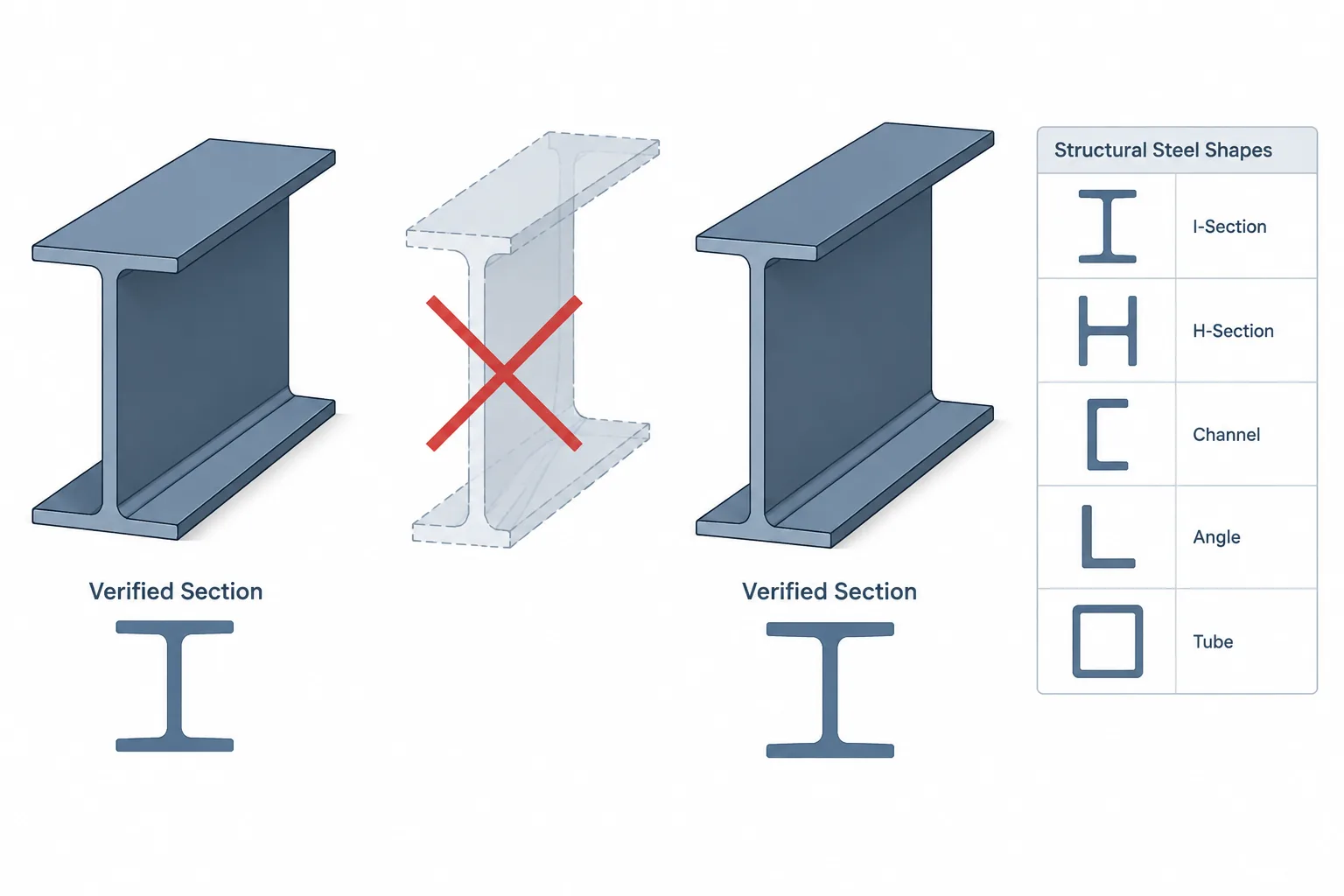
Structural steel shape tables can look like continuous data sets. A series of W-shapes, channels, angles, tees, or HSS sections may be arranged by depth, weight, area, or another convenient identifier. That orderly presentation can create a misleading impression: if a desired value falls between two listed shapes, perhaps the missing dimensions and section properties can be estimated by interpolation.
For actual member selection, calculation, detailing, or CAD modeling, that approach is generally unreliable. Rolled and manufactured steel shapes are discrete products, not points sampled from a continuous geometric curve. A value calculated between two table rows does not necessarily describe a real, available section.
Why adjacent table rows are not geometric increments
Two neighboring shape designations may differ in several geometric variables at once. For an I-shaped section, the flange width, flange thickness, web thickness, overall depth, and fillet geometry can change independently. In an HSS series, the outside dimensions, wall designation, corner geometry, and manufacturing-related properties may change. Angles and channels have their own combinations of leg, flange, web, and radius dimensions.
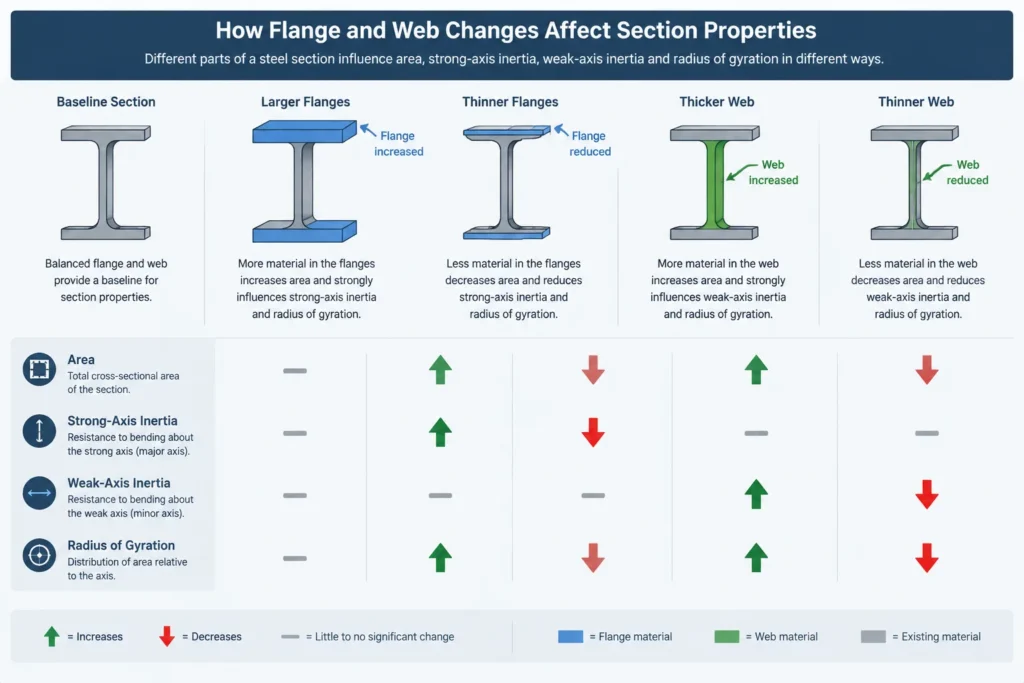
Even when two shapes have similar nominal depths, they are not necessarily the same profile with a uniformly increased thickness. A heavier shape might use thicker flanges, a thicker web, a different flange width, or a combination of changes. Some dimensions may remain nearly unchanged while others move by a more noticeable amount.
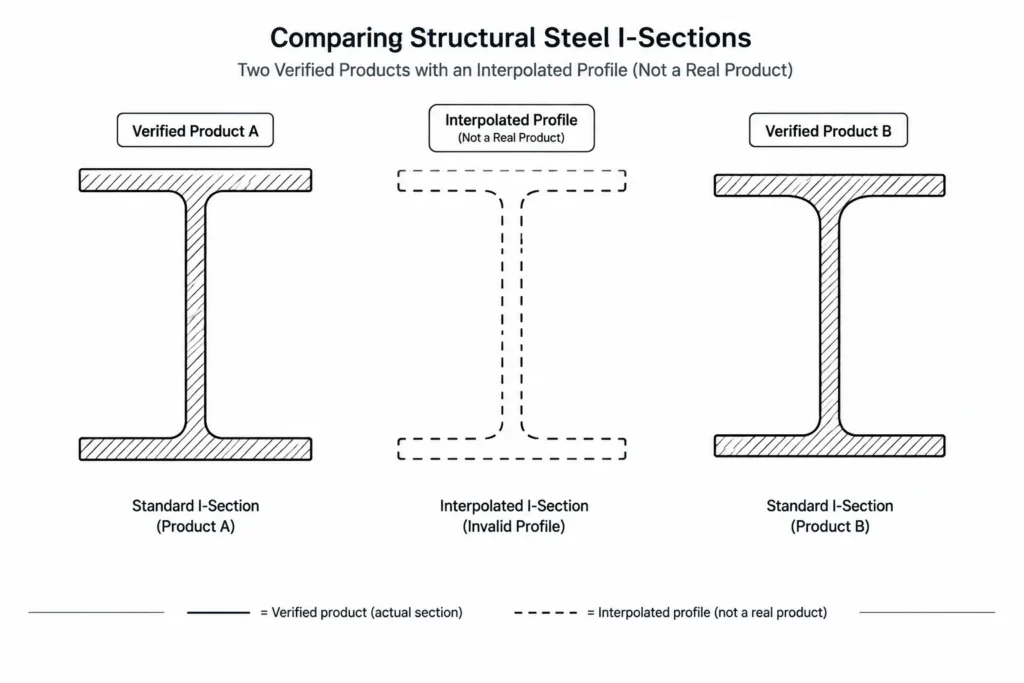
Consequently, the midpoint between two listed rows is usually just a mathematical midpoint. It is not evidence of an intermediate rolled shape.
Section properties do not change at the same rate
Interpolation is especially risky for section properties because each property responds differently to geometry. Cross-sectional area changes directly with the amount of steel, but moment of inertia is strongly affected by how far that material lies from the centroidal axis. Section modulus also depends on the distance from the neutral axis to the extreme fiber. Radius of gyration combines moment of inertia and area.
Torsional and warping properties can be even more sensitive to flange, web, wall, and corner geometry. A modest dimensional difference can therefore produce a property change that is not proportional to the change in weight or nominal depth.
| Table item | Why interpolation can mislead |
|---|---|
| Overall depth and width | Adjacent products may not follow a uniform dimensional increment. |
| Web or wall thickness | Thickness series are discrete and may change independently of outside dimensions. |
| Area and weight per unit length | A calculated intermediate value may not correspond to a manufactured section. |
| Moment of inertia | Material location relative to the axis makes the relationship nonlinear. |
| Section modulus | It depends on both moment of inertia and the extreme-fiber distance. |
| Radius of gyration | It depends on the ratio of moment of inertia to area, not either value alone. |
| Torsional or warping properties | These can be highly sensitive to the specific section geometry. |
| Detailing dimensions | Fillets, corner radii, clear regions, and workable attachment zones are product-specific. |
An interpolated result is not a shape designation
Suppose a preliminary calculation suggests that a required section property lies between the values for two listed shapes. Interpolating may produce a number that appears precise, but it does not identify a section that can be ordered, modeled, or detailed. A valid designation must correspond to an actual product in the governing reference and project supply chain.
This distinction matters in CAD. Creating a profile from interpolated depth, flange width, and thickness values can produce a convincing drawing of a nonexistent shape. The error may remain hidden until connection plates, bolts, stiffeners, clearances, or material orders are coordinated against verified data.
Why interpolating each dimension separately does not solve the problem
A more elaborate approach is to interpolate every dimension and then calculate the section properties of the resulting profile. This can be mathematically consistent, but it still creates a custom section rather than a standard rolled or manufactured shape.
It may also omit geometric details that influence fit or calculated properties, including web-to-flange fillets, angle root radii, HSS corners, flange taper, or manufacturing-specific thickness conventions. A simplified sharp-corner profile should not be assumed to reproduce published properties for a real section.
If a project intentionally uses a fabricated or custom member, its geometry and properties should be defined and calculated as that custom member. It should not be represented by an invented standard-shape designation.
Acceptable uses of interpolation
Interpolation can have a limited role in conceptual work. For example, it may help estimate a trend, establish an approximate starting point for a search, or indicate whether the next lighter or heavier part of a series deserves review. The result should be treated as a screening estimate rather than final shape data.
It should not be used as the source for:
- final member dimensions or section properties;
- connection geometry or bolt and weld layout;
- clearance checks involving flanges, webs, fillets, or HSS corners;
- shop drawing profiles or CNC geometry;
- material ordering or bills of material;
- capacity calculations assigned to a supposed standard shape; or
- substitution approval between specified members.
A better workflow for finding an alternative shape
1. Identify the controlling requirements
Do not search by one property alone. Record the relevant strength, stiffness, stability, depth, width, weight, connection, clearance, fire-protection, coating, and availability constraints. The controlling requirements depend on the member and project.
2. Filter for real designations
Use a verified shape reference or project-approved database to identify actual products. If a depth limit applies, filter by actual tabulated depth rather than assuming that the nominal series name provides the needed clearance.
3. Compare the complete property set
A candidate with adequate strong-axis inertia may have a different weak-axis radius of gyration, torsional response, flange width, or web thickness. Review every property used by the analysis and design checks, not just the value that prompted the search.
4. Recheck classification and limit states
Changing flange or web proportions can affect local behavior and the design checks that apply. Member strength, buckling, deflection, vibration, bearing, and connection-related limit states may need to be evaluated again by the responsible designer.
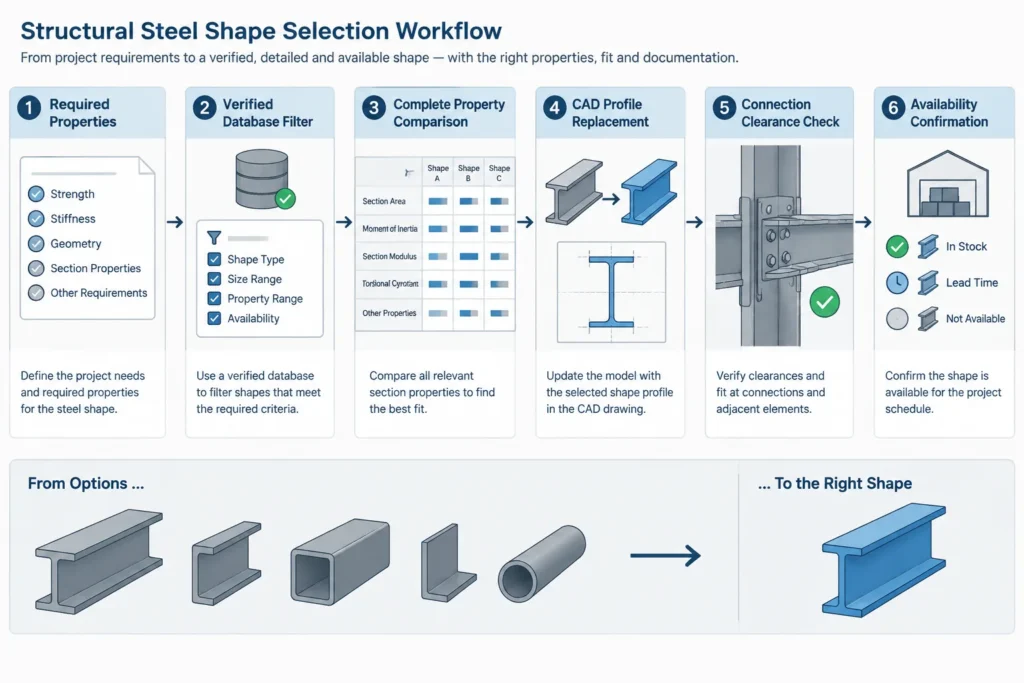
5. Rebuild detailing from verified dimensions
Replace the CAD or BIM profile using the selected shape’s actual data. Recheck top-of-steel elevations, centerlines, flange and web attachment zones, cope geometry, stiffeners, end plates, bolt access, weld access, and adjacent clearances.
6. Confirm availability and substitution status
Presence in a reference table does not by itself establish current availability for a particular project. Procurement constraints and the project’s substitution process still apply.
Custom built-up sections are a separate case
A required property falling between two rolled shapes may lead to consideration of a built-up member. That is not interpolation; it is a new section assembled from defined plates or shapes. Its centroid, area, moments of inertia, section moduli, radii of gyration, torsional behavior, welds, local stability, and fabrication details must be evaluated using its actual geometry.
The drawing should clearly identify the components and assembly rather than assigning a standard designation that implies a different product. CAD geometry, calculation geometry, and the bill of material should all describe the same member.
Practical database and CAD check
When a section property appears between two familiar values, use it as a search target, not as a new row in the table. Select a real candidate, verify its designation and data, and then update the model from that verified profile. This preserves the relationship between engineering calculations, connection detailing, fabrication information, and purchasing.
The central rule is simple: interpolate to understand a trend if appropriate, but do not interpolate to invent a structural steel shape.

