Shear area can look like a simple geometric property, but its meaning depends on where the value appears and how it will be used. In structural analysis software, an effective shear area may control shear deformation. In a steel design check, a web area or another specification-defined area may be used for shear strength. Although these quantities can have similar units and notation, they are not automatically interchangeable.
This distinction matters when building analysis models, reviewing imported steel sections, comparing software output with shape tables, or creating custom properties for built-up members. A value that appears reasonable may still be assigned to the wrong local axis or based on a different definition.
What Is Effective Shear Area?
Effective shear area, commonly identified with notation such as Av, represents a section’s resistance to shear deformation in a beam model. It is not necessarily a directly measurable region bounded by lines on the cross-section. Instead, it is an equivalent property that accounts for the nonuniform distribution of shear stress.
In a simplified shear-deformation expression, the effective shear area appears in a relationship of the general form:
shear deformation contribution = V / (GAv)
Here, V is the shear force and G is the shear modulus. The exact implementation depends on the beam theory, section convention, and software. Some programs store an effective area directly, while others apply a shear correction factor to a reference area.
Because the actual shear stress is not uniform across most structural shapes, using the full gross area without an appropriate convention can produce an incorrect estimate of shear flexibility.
Shear Area Is Not the Same as Gross Area
The gross cross-sectional area, A, is the total material area of the section. It is used for weight calculations and appears in several strength and stiffness relationships. Effective shear area has a narrower purpose.
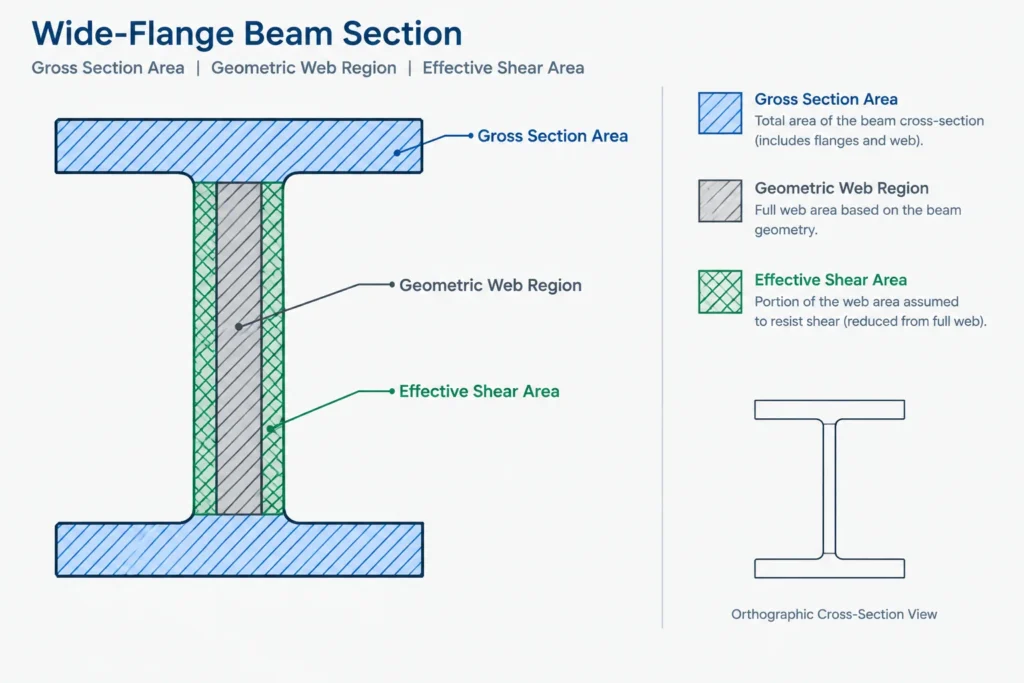
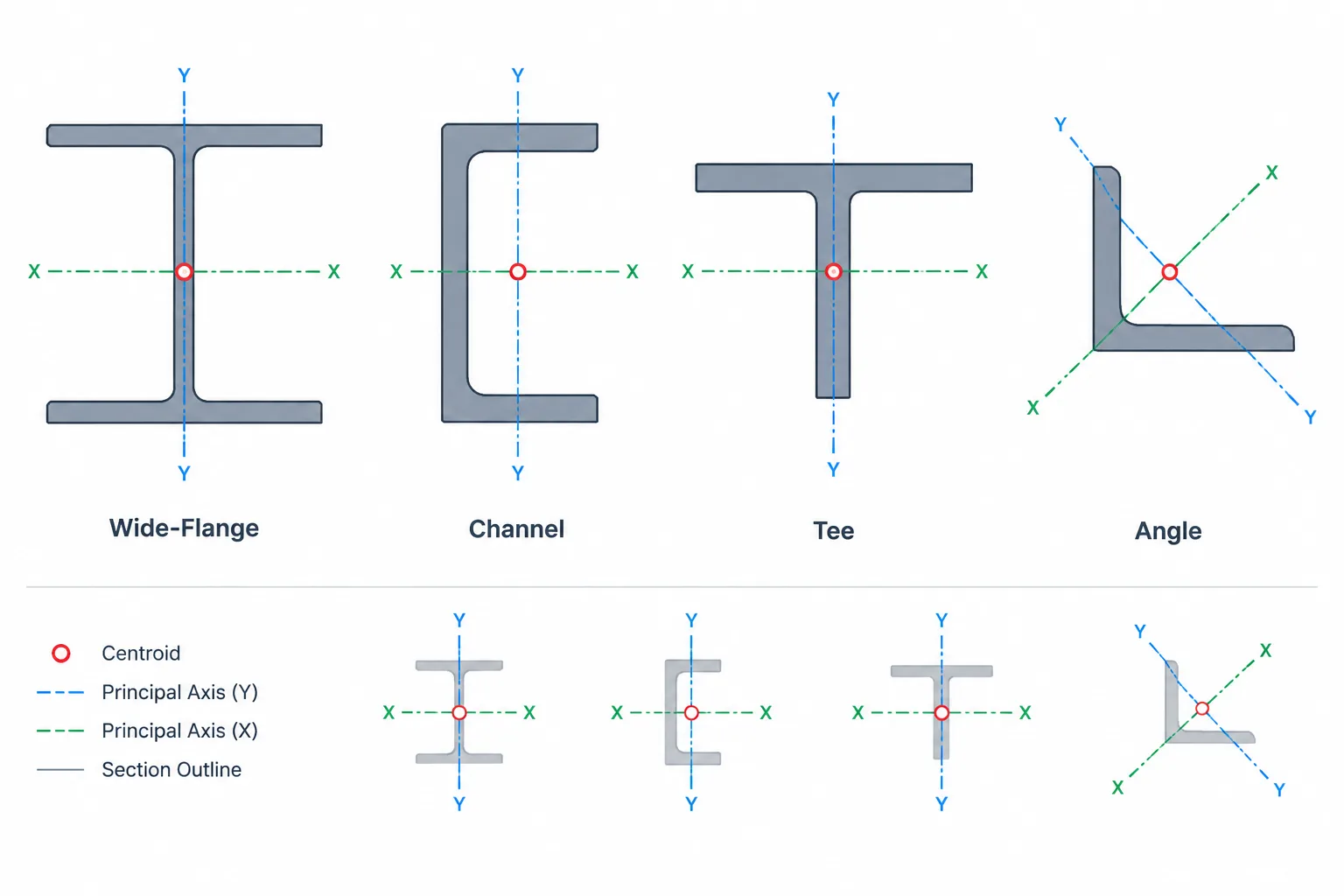
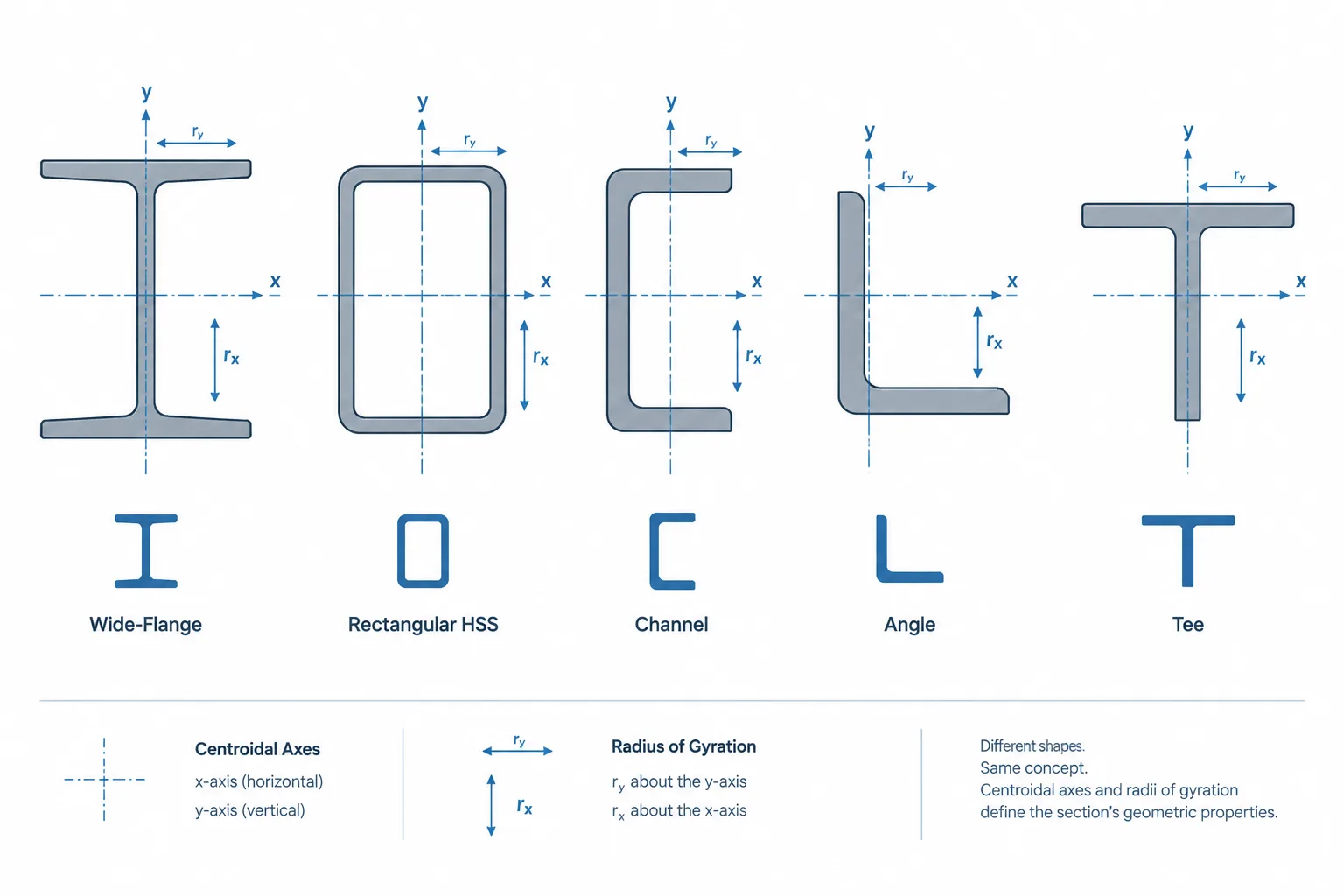
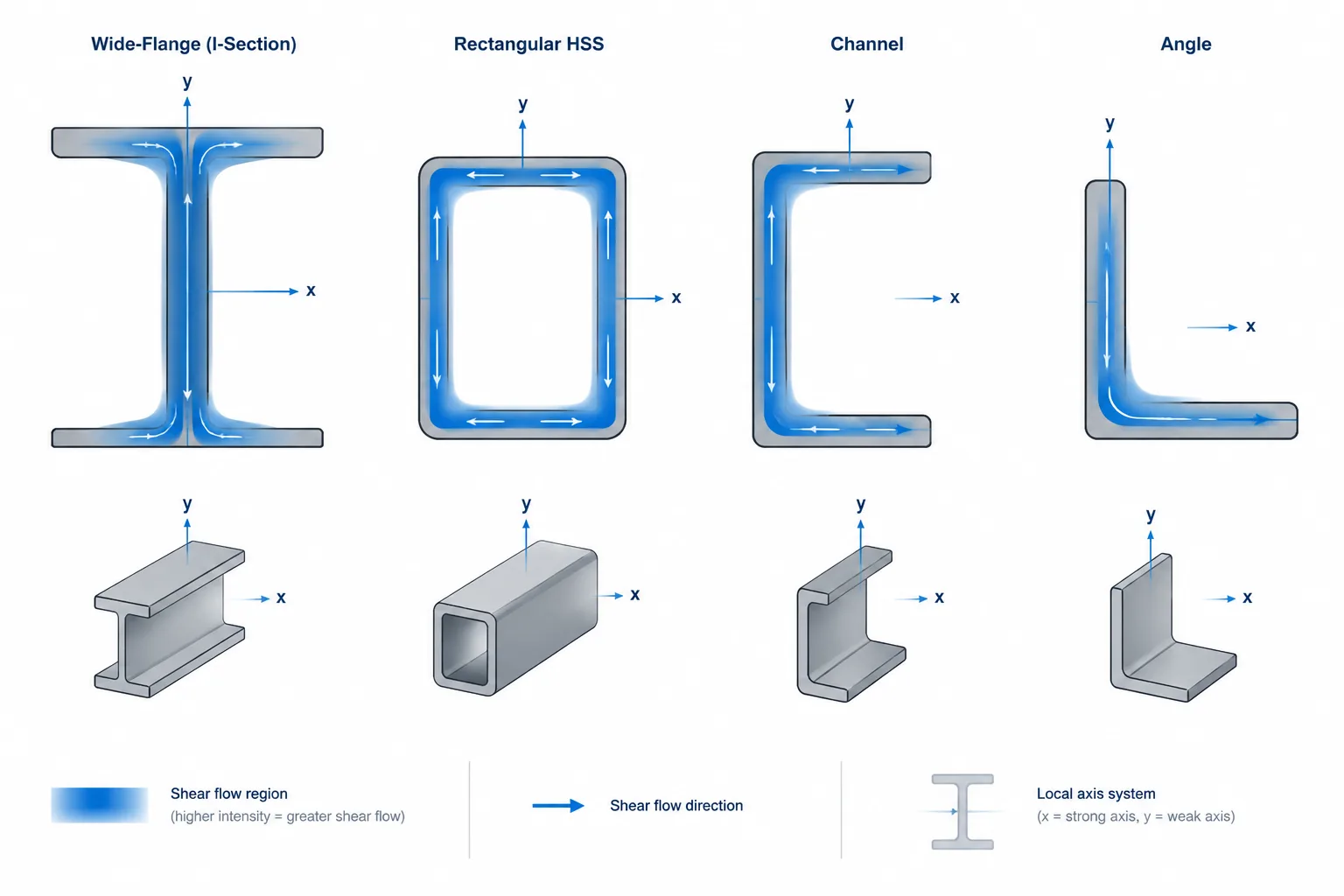
For an I-shaped member carrying shear parallel to its web depth, much of the shear is associated with the web region. The flanges remain part of the gross area, but they do not contribute to this shear response in the same way as the web. For an HSS, channel, angle, or tee, the distribution changes with section geometry and load direction.
Consequently, a CAD region command can calculate gross area from a closed profile, but it generally cannot determine a convention-compatible effective shear area merely from the outline. That property requires an analytical definition, not just geometric measurement.
Effective Shear Area vs. Web Area
Web area is usually a geometric quantity based on a web thickness and an applicable web depth. Effective shear area is an equivalent stiffness property. A design standard may also define an area used specifically for shear strength calculations.
These three concepts should be kept separate:
- Gross area: the total cross-sectional material area.
- Web area: an area associated with the web, using the depth limits required by the applicable calculation.
- Effective shear area: an equivalent area used to represent shear deformation or another explicitly defined analytical effect.
- Design shear area: an area defined by the governing design procedure for a particular strength check.
There may be relationships among these values for a particular shape and method, but one should not be substituted for another without confirming the definitions. Even the phrase “web area” requires care: one source may use overall depth, another may use clear depth between flanges, and another may follow a specification-defined expression.
Why Two Shear-Area Values May Be Listed
A beam element can deform under shear in either local cross-sectional direction. Software therefore may request two effective shear areas, often displayed with labels such as Avy and Avz. Other programs use different axis letters or associate the property with the bending axis rather than the direction of the shear force.
The label alone is not enough. Before entering a value, verify:
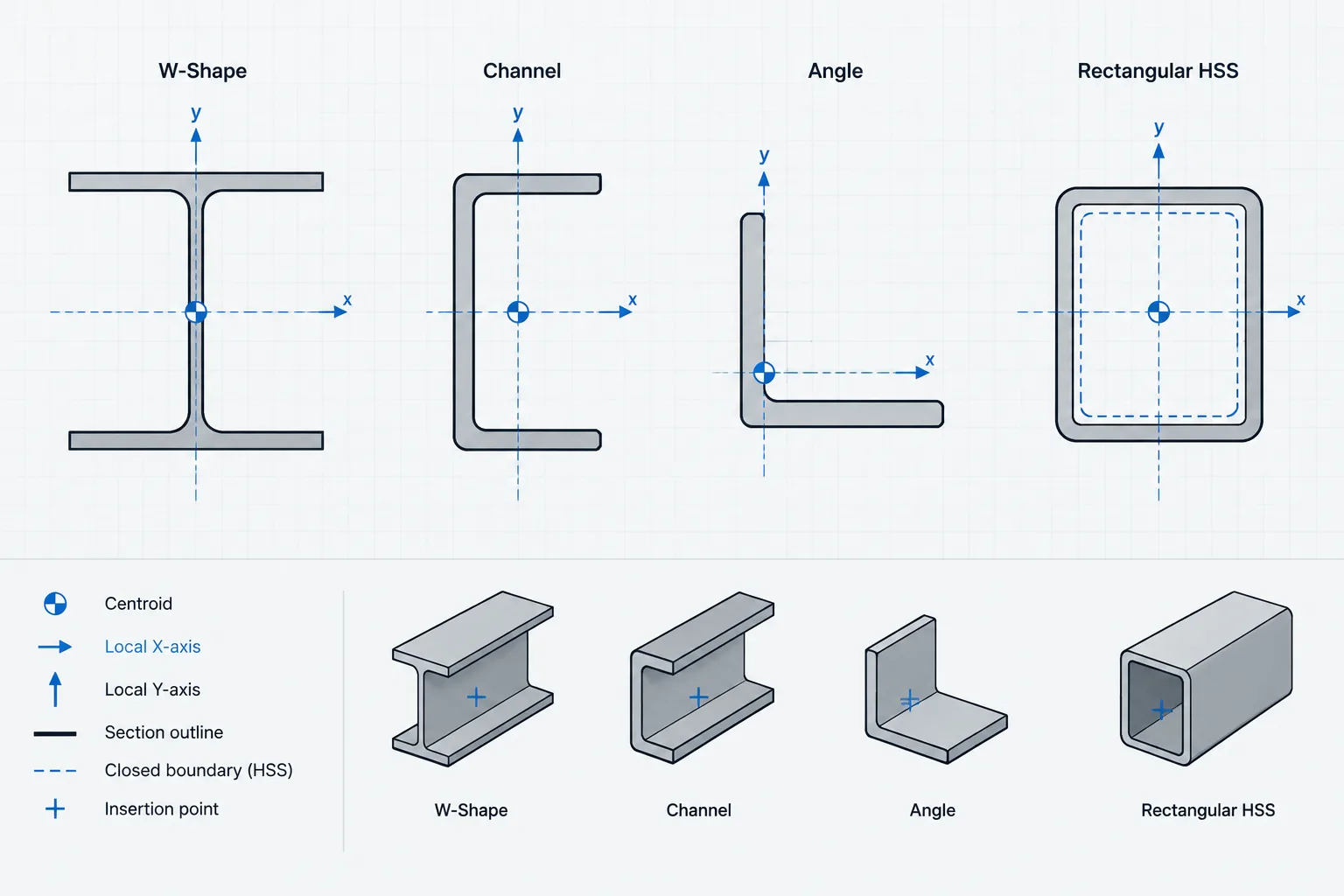
- How the program defines the member’s local axes.
- Whether the subscript identifies the force direction or the corresponding bending axis.
- How the section is rotated within the model.
- Whether the software expects an effective area or a gross area plus a correction factor.
- Whether automatic section-property calculations use the same convention as the external reference.
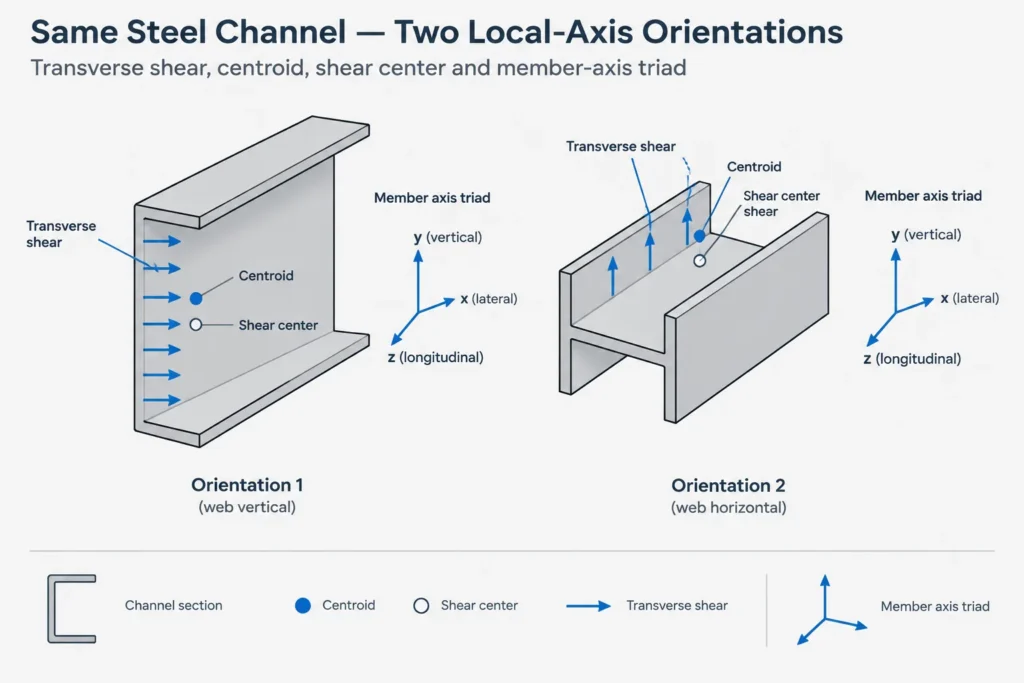
An axis swap may have little visible effect for a symmetric section loaded in only one plane, yet become important when the same section is rotated, loaded biaxially, or used in a model that includes shear deformation.
How Shape Family Affects Interpretation
| Shape family | Practical shear-area consideration |
|---|---|
| W, S, and HP shapes | Shear parallel to the web depth is commonly associated primarily with the web region. The perpendicular direction has a different stiffness and should not inherit the same value automatically. |
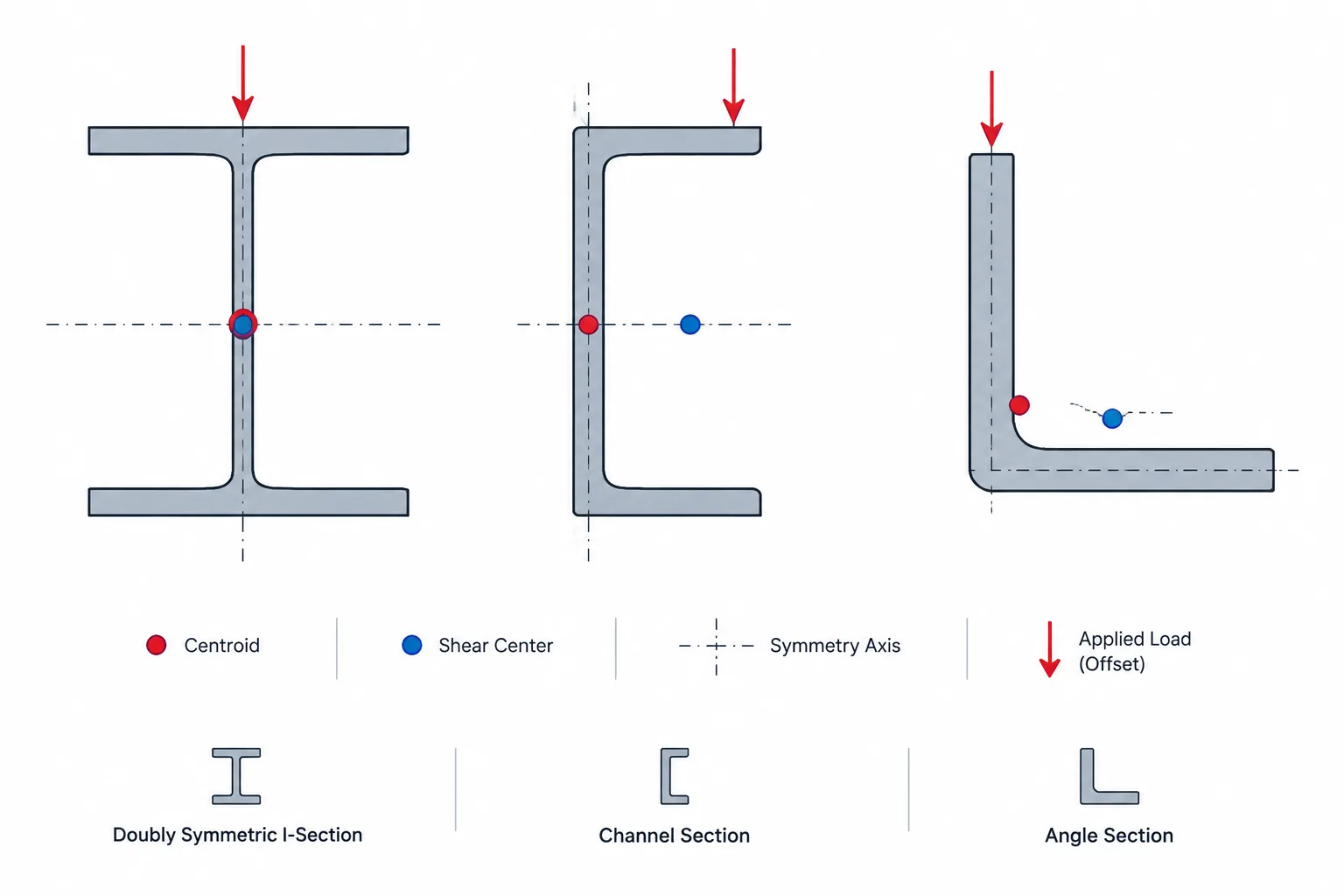
| Channels | The open, singly symmetric section requires careful local-axis orientation. Loading away from the shear center can also introduce twist, which effective shear area alone does not describe. |
| Angles and structural tees | Unsymmetry or single symmetry makes axis definitions especially important. Principal-axis and geometric-axis properties may not represent the same directions. |
| Rectangular and square HSS | Multiple walls participate in shear, and corner geometry may affect analytical property calculations. A simple single-web approximation may not match the source convention. |
| Round HSS and pipe | Shear is distributed around the curved wall. Treating one strip of wall as a conventional web is not an adequate general definition. |
| Built-up sections | Plate arrangement, weld or fastener continuity, spacing, and composite action determine whether a calculated effective property represents the real member. |
Shear Area Does Not Describe Torsion
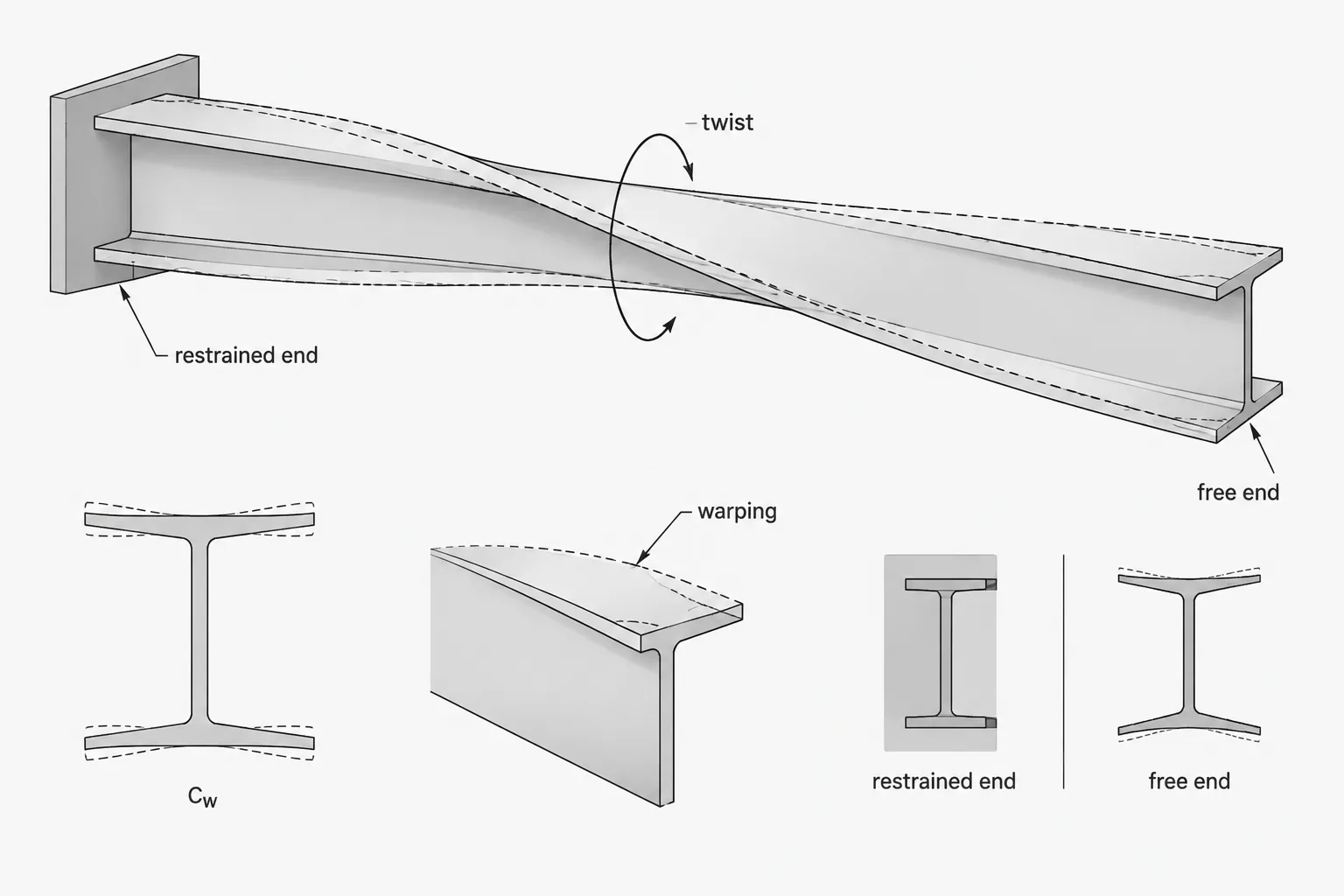
Effective shear area should not be confused with the torsional constant J, warping properties, or the shear-center location. These properties address different behaviors.
A channel can have valid shear-area values in its local directions and still twist when a transverse load does not pass through its shear center. Similarly, an HSS can resist torsion through closed-section behavior that is not represented by merely increasing a beam’s shear area.
If unexpected rotation appears in a model, check load eccentricity, member releases, torsional stiffness, section orientation, and shear-center assumptions rather than treating Av as a universal correction.
Why Published and Software Values Can Differ
Differences do not always indicate an error. Two sources may use different shear-deformation theories, correction factors, idealized geometry, fillet treatment, wall-thickness assumptions, or local-axis conventions. One source may report a property for analysis stiffness while another reports an area for design strength.
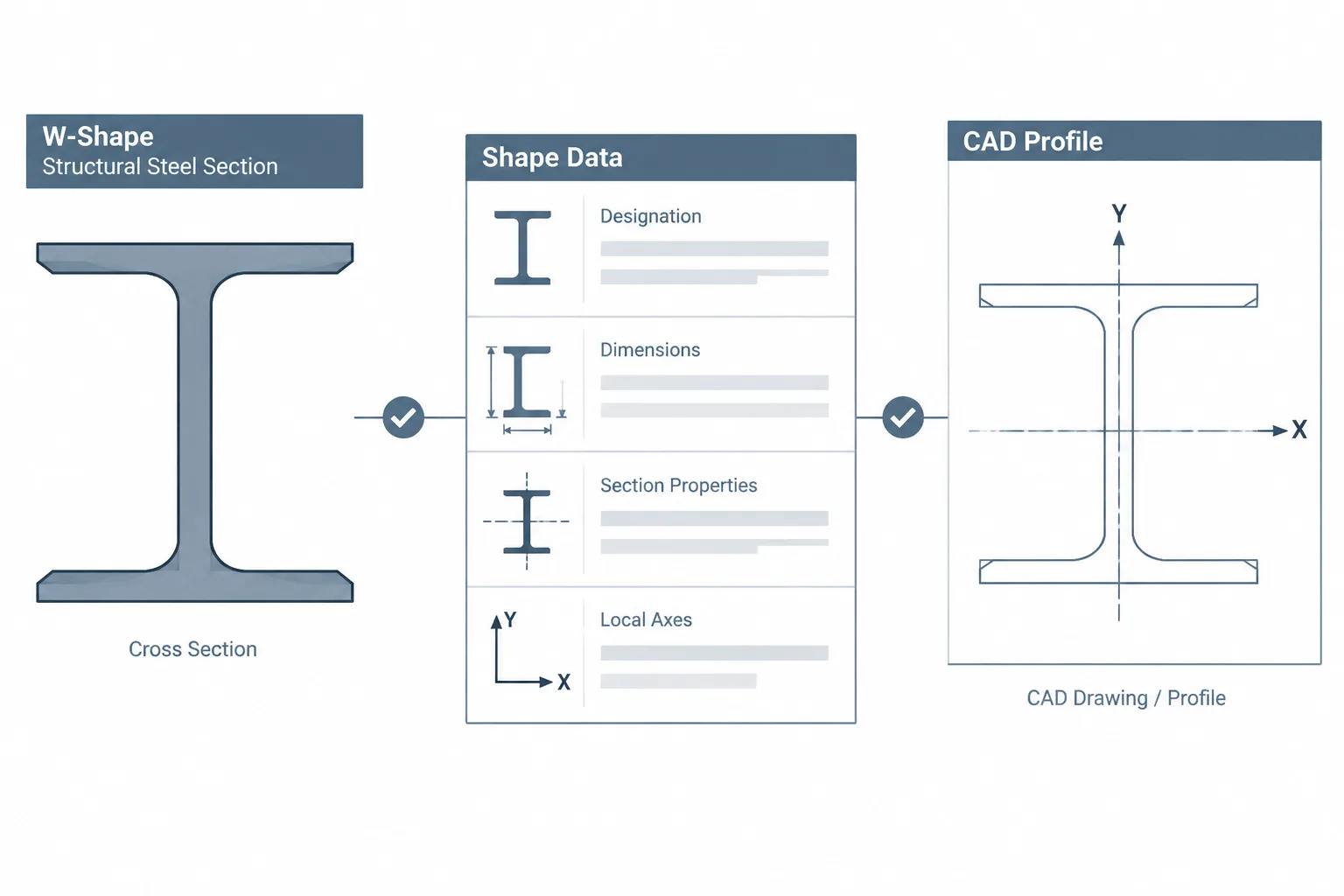
Custom-section tools can introduce another difference. A program may derive properties from a simplified polygon that omits rolled fillets or idealizes HSS corners. Even when gross area and moments of inertia compare closely, its effective shear-area method may not match the method used for a published database section.
The appropriate response is to identify the definition behind each value, not to force them to match by changing geometry arbitrarily.
A Practical Verification Workflow
1. Identify the purpose
Determine whether the value will be used for shear deformation, a design shear-strength check, section classification, or another calculation. Do not proceed based only on the symbol.
2. Confirm the source definition
Review the shape-table notes, software documentation, calculation method, or project criteria. Record whether the value is effective area, web area, or a specification-defined design quantity.
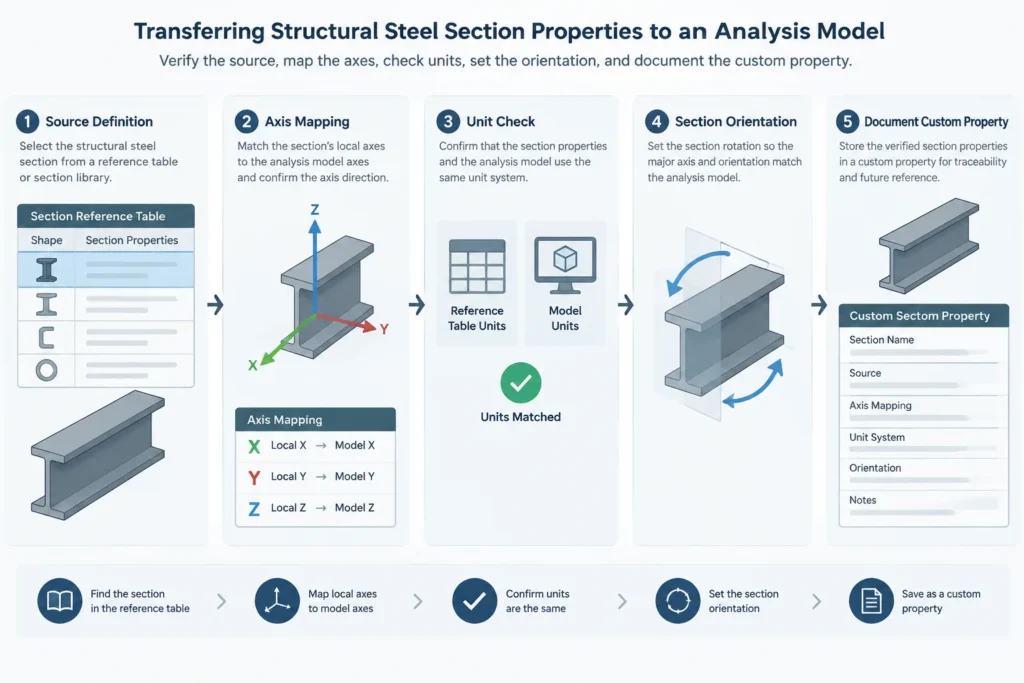
3. Map the local axes
Display the member axes in the analysis or BIM model. Confirm the section’s web, flanges, open side, long leg, or HSS faces relative to those axes.
4. Check units and dimensional type
Shear area has units of area. A unit conversion error can remain hidden if a software interface accepts the number without validating its magnitude.
5. Compare related properties
Check section designation, gross area, depth, width, moments of inertia, and orientation. This helps detect a wrong shape or rotated section, but it does not prove that the shear-area convention is identical.
6. Review model sensitivity
Where appropriate, compare results with and without shear deformation or with independently verified properties. A noticeable change is a reason to examine member proportions, span, releases, and modeling assumptions—not a reason to discard shear effects automatically.
7. Document custom values
For a custom or built-up section, retain the geometry, axis sketch, calculation basis, assumptions about component interaction, and software field mapping. This allows later reviewers to understand what the entered property represents.
Key Detailing and Modeling Takeaway
Shear area in structural steel sections is best treated as a defined analytical property rather than a simple piece of the cross-section. Gross area, web area, design shear area, and effective shear area can all be valid quantities while serving different purposes.
Before transferring an Av value from a table into a model, verify the intended use, axis convention, units, section orientation, and calculation basis. For final design, use the governing project criteria and the applicable design procedure rather than relying on an unlabeled database field or a CAD-derived approximation.