UB 1016x305x438 section reference
This page provides the preserved dimensional and section data for the UB 1016x305x438 universal beam, together with its downloadable CAD resource. It is intended as a quick reference for structural-steel drafting, model coordination, preliminary section identification, and document checking.
The designation is a section name rather than a complete fabrication specification. Use the detailed values shown in the source content below when checking the overall depth, flange width, web thickness, flange thickness, root fillet radius, sectional area, and unit weight.
The source identifies the section with EN 10365:2017. Project use should still be checked against the governing design standard, material specification, supplier availability, and project documentation.
UB 1016x305x438
Universal Beams
refer to : EN 10365:2017
a European standard that defines the dimensions, tolerances, and sectional properties for hot-rolled steel channels, I-beams, and H-beams used in construction and engineering. It ensures uniformity and compatibility across European structural steel products.
Dimension : 1026x305x26.9×49
Depth : 1026 mm
Width : 305 mm
Web Thickness : 26.9 mm
Flange Thickness : 49 mm
Root Fillet Radius : 30 mm
Sectional Area : 556.3 cm2
Unit Weight : 436.7 kg/m
How to read the section information
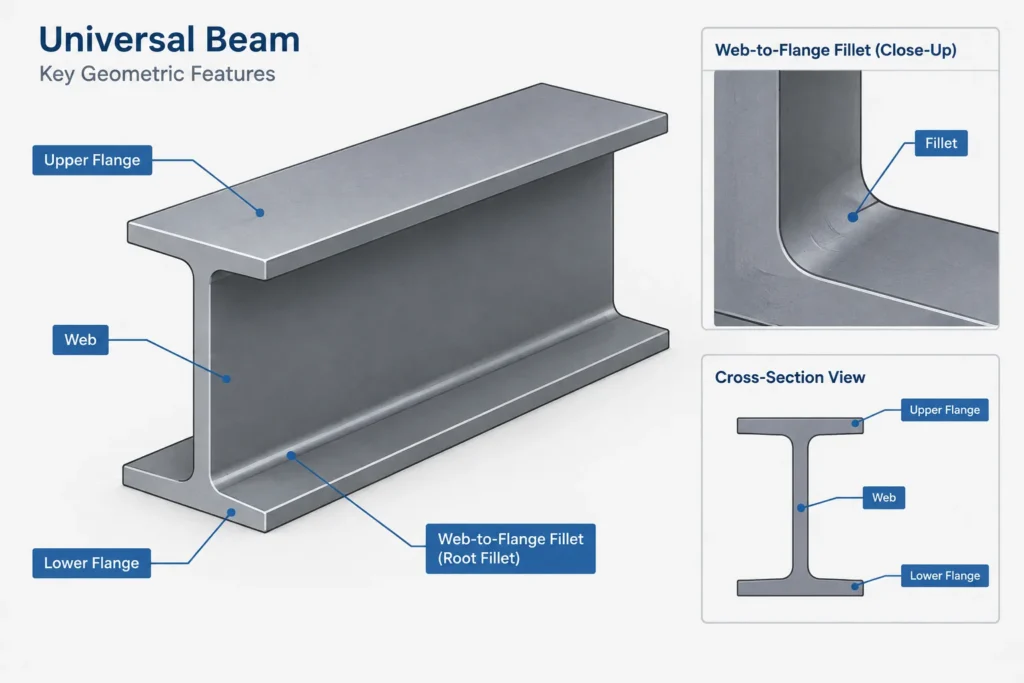
A universal beam is a rolled open section with two flanges connected by a central web. The overall depth and flange width establish the main profile envelope, while the web and flange thicknesses describe the principal plate-like elements of the rolled shape. The root fillet radius defines the curved transition between the web and each flange.
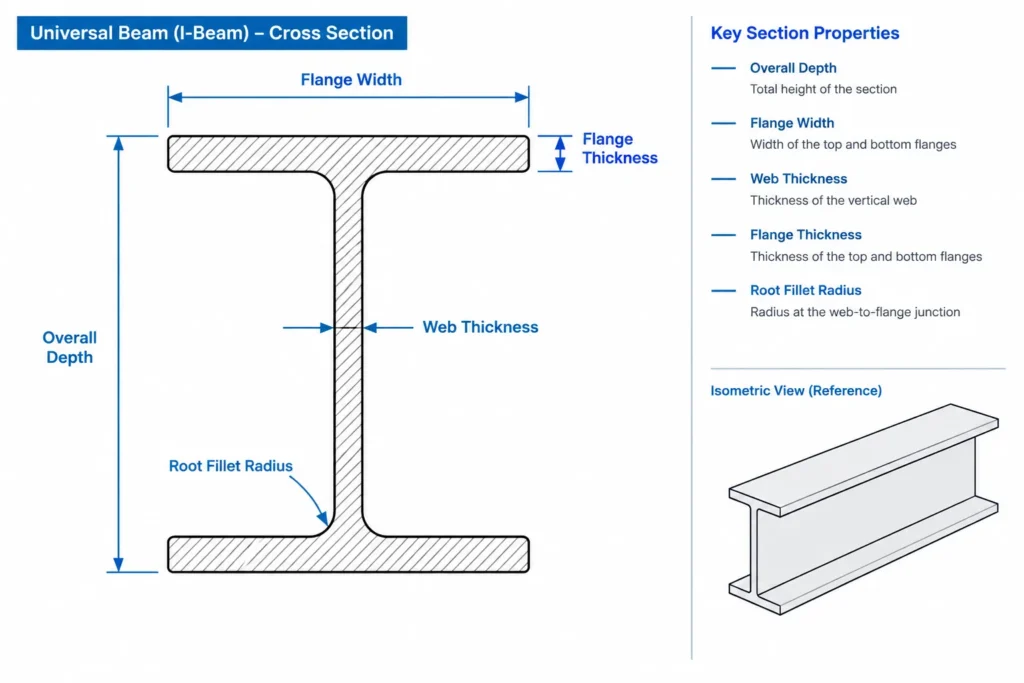
The root region matters in detailing because the internal corners are not sharp. Plates, stiffeners, connection components, weld access, and modeled clearances should not be arranged as though they can occupy the fillet zone without a dimensional check.
Designation and listed unit weight
The section designation and the more precise unit weight shown in the preserved data are not identical. Treat UB 1016x305x438 as the recognized section label and use the listed source value when a workflow requires the stated unit weight. Do not infer missing properties or design capacity from the designation alone.
Using the DWG in a drafting workflow
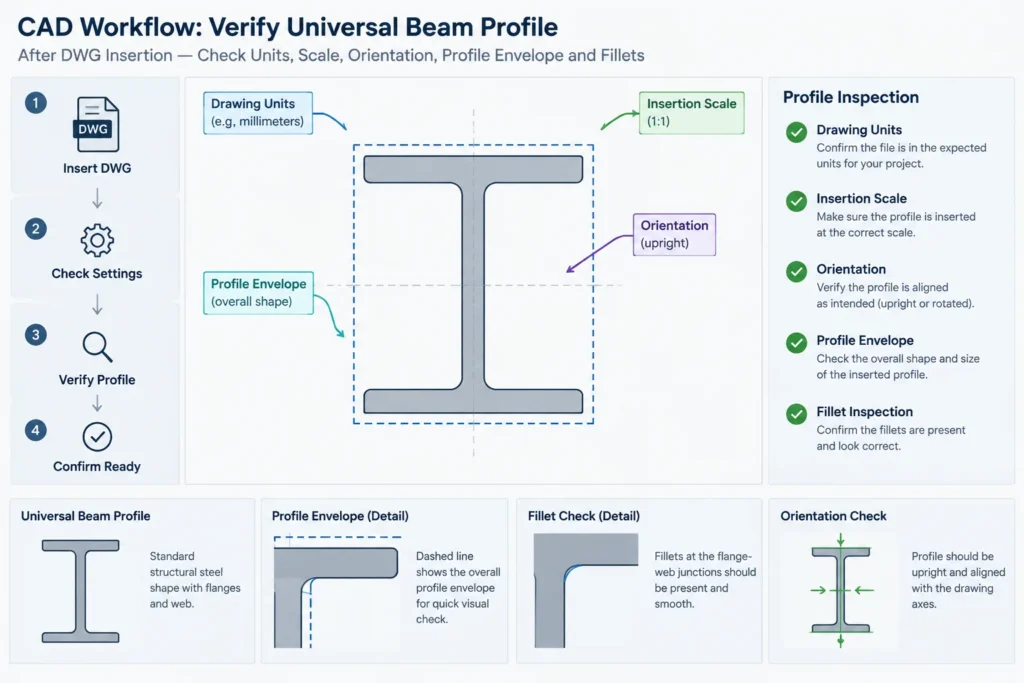
- Confirm units: Check the drawing units and insertion scale before placing the profile into a model or detail.
- Verify the envelope: Compare the CAD profile with the listed overall depth and width.
- Inspect the web and flanges: Confirm that their geometry agrees with the preserved section data.
- Retain the root fillets: Avoid simplifying the internal corners when connection clearance or fabrication geometry is relevant.
- Control orientation: Verify the beam axis, web direction, and flange orientation after insertion or block rotation.
- Record the source: Keep the section designation and referenced standard context with the project model or drawing notes.
Section properties and design use
Sectional area and unit weight are useful for identification, quantity work, and model data checks, but they do not establish structural capacity. Member design also depends on factors such as material grade, span or effective length, support conditions, restraint, loading, stability, connection behavior, and the applicable design rules.
For broader research, this section can be reviewed alongside universal beam dimensions, I-shape terminology, section-property concepts, steel unit-weight guidance, rolled-section fillets, and bolted or welded connection detailing. Those related topics help connect the profile data to practical modeling and documentation decisions.
Checks before project use
Confirm the profile against current project requirements and approved product information before issuing fabrication or construction documents. A CAD profile is a drafting aid; it is not a substitute for engineering calculations, connection design, procurement verification, or professional review.
Frequently asked questions
What does UB mean?
UB means universal beam. It describes a hot-rolled, open steel section with flanges connected by a web.
Why does the designation differ from the listed unit weight?
The designation functions as the section name, while the preserved data provides a more precise listed unit weight. Use the appropriate source value for the task rather than treating every part of the designation as an exact measured property.
Why is the root fillet radius important?
The fillet forms the curved transition between the web and flange. It can affect the fit and clearance of plates, stiffeners, bolts, welds, and other connection components placed near the web-to-flange junction.
Can the sectional area or unit weight be used as the beam capacity?
No. These are section reference properties, not load-capacity values. Capacity must be established through design checks using the applicable material, loading, stability, restraint, connection, and code requirements.
What should be checked after downloading the DWG?
Check units, scale, profile orientation, overall dimensions, thickness representation, fillet geometry, layer organization, and compatibility with the receiving CAD workflow. Compare critical geometry with the preserved source data before relying on the file.
Is this page sufficient for fabrication?
No. Fabrication requires approved project drawings, material requirements, connection details, tolerances, and professional verification. This page is a section and CAD reference.