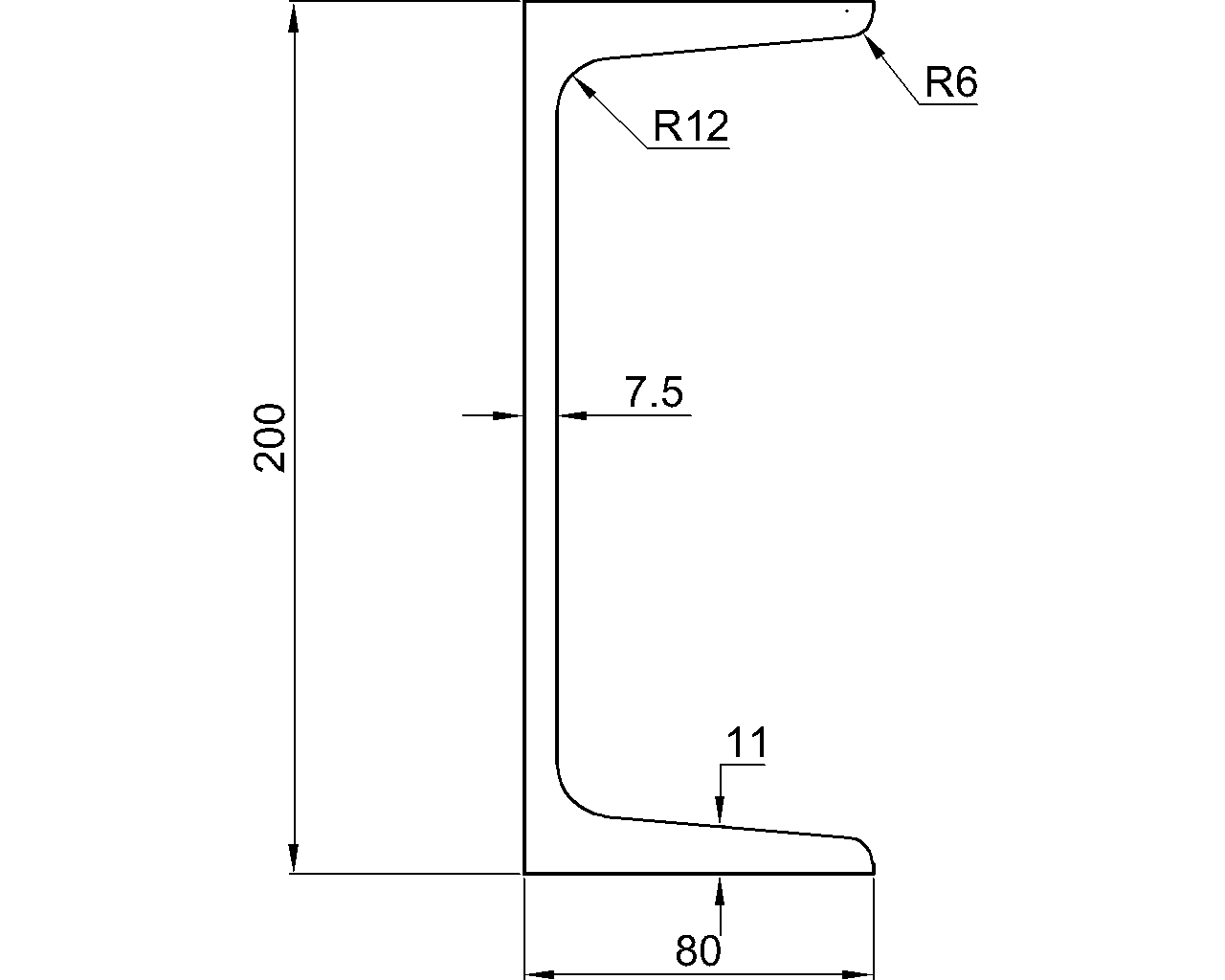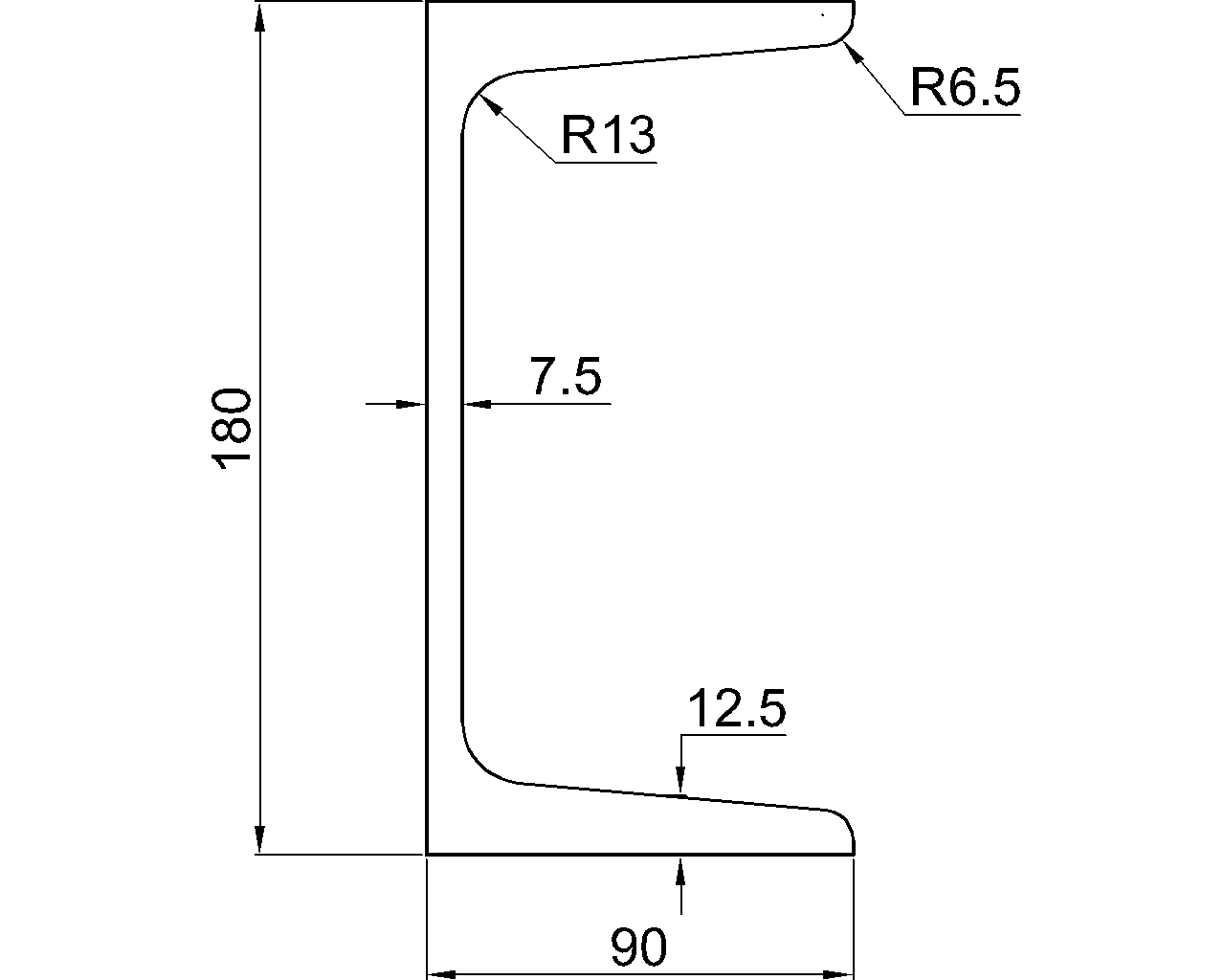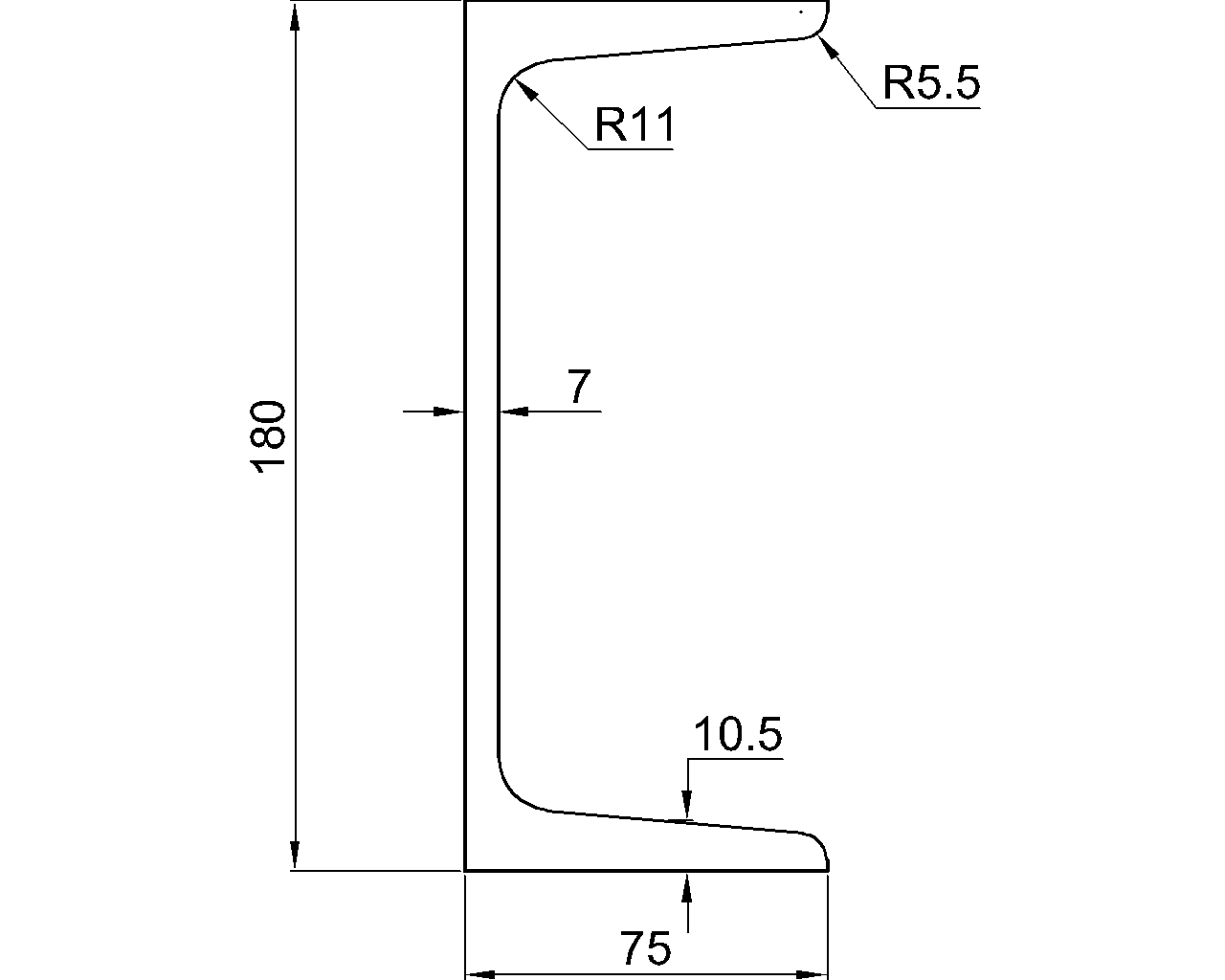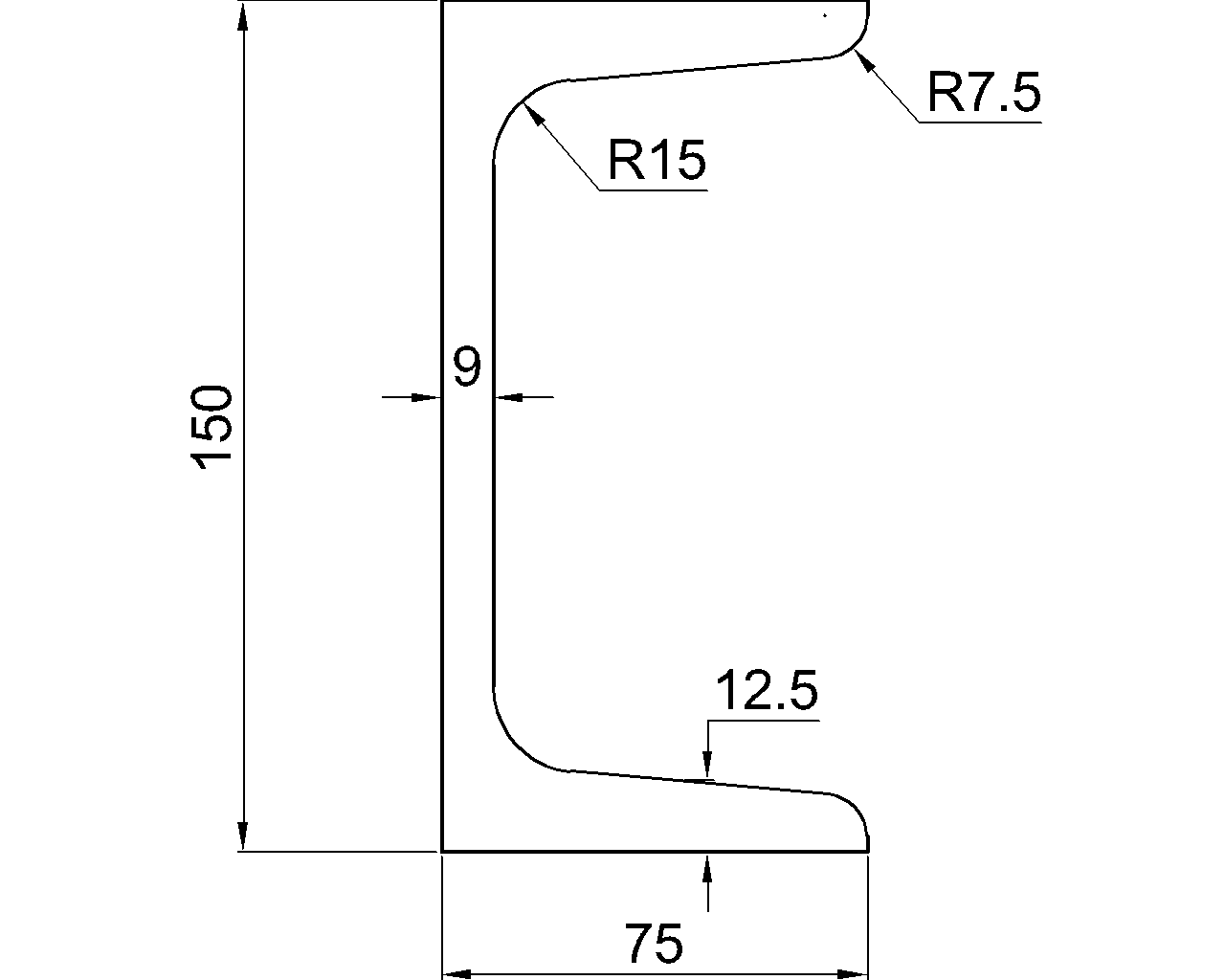
Structural steel section properties are usually reported about named centroidal axes such as x and y. For many familiar shapes, these axes are also the principal axes. For unsymmetric sections, however, the principal axes may be rotated relative to the legs, faces, or other obvious geometric references.
This distinction matters when interpreting section-property tables, checking bending about an unusual direction, or extracting properties from CAD. A drawing can show a section in the correct physical orientation while the reported moments of inertia still refer to a different axis system. Understanding principal axes helps separate section geometry from member orientation and prevents incorrect use of Ix, Iy, and Ixy.
What are principal axes?
Principal axes are a pair of perpendicular centroidal axes for which the product of inertia is zero. The corresponding area moments of inertia are called principal moments of inertia. One is the maximum centroidal moment of inertia, and the other is the minimum.
The principal axes describe the section itself. They do not automatically represent the building grid, the member’s local analysis axes, or the horizontal and vertical directions on a drawing. Rotating the member in a model rotates its principal axes with the cross-section, but it does not change the underlying principal property values.
Common notation includes:
- x, y: reference centroidal axes used to describe or calculate the section.
- u, v: frequently used for principal axes, although notation varies among references and software.
- Ix, Iy: moments of inertia about the selected x and y axes.
- Ixy: product of inertia for those axes.
- Imax, Imin: maximum and minimum principal moments of inertia.
- θ: the rotation between the reference axes and principal axes.
Always confirm the axis diagram supplied with a table or calculation. Axis letters alone are not universal.
Symmetry provides the first clue
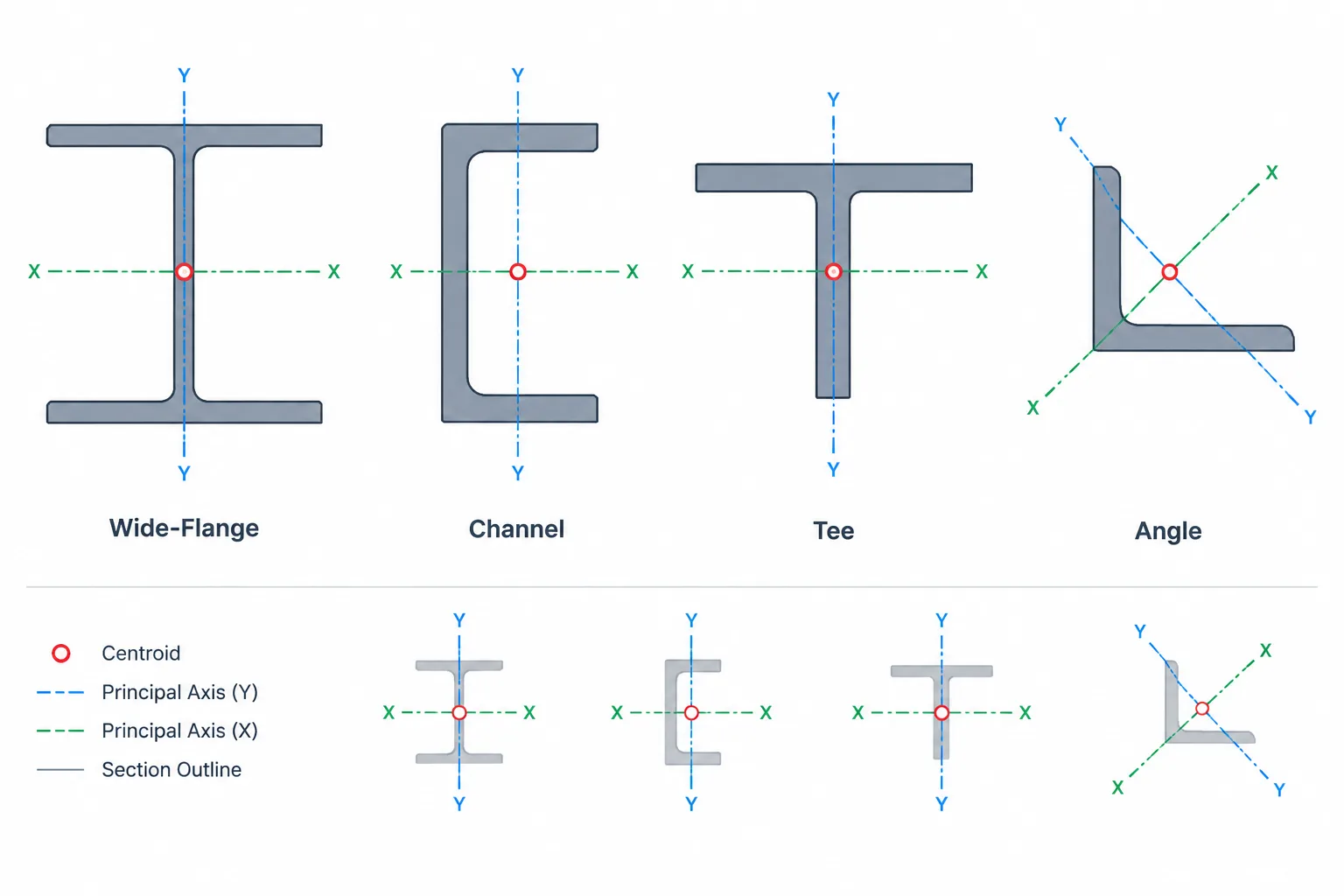
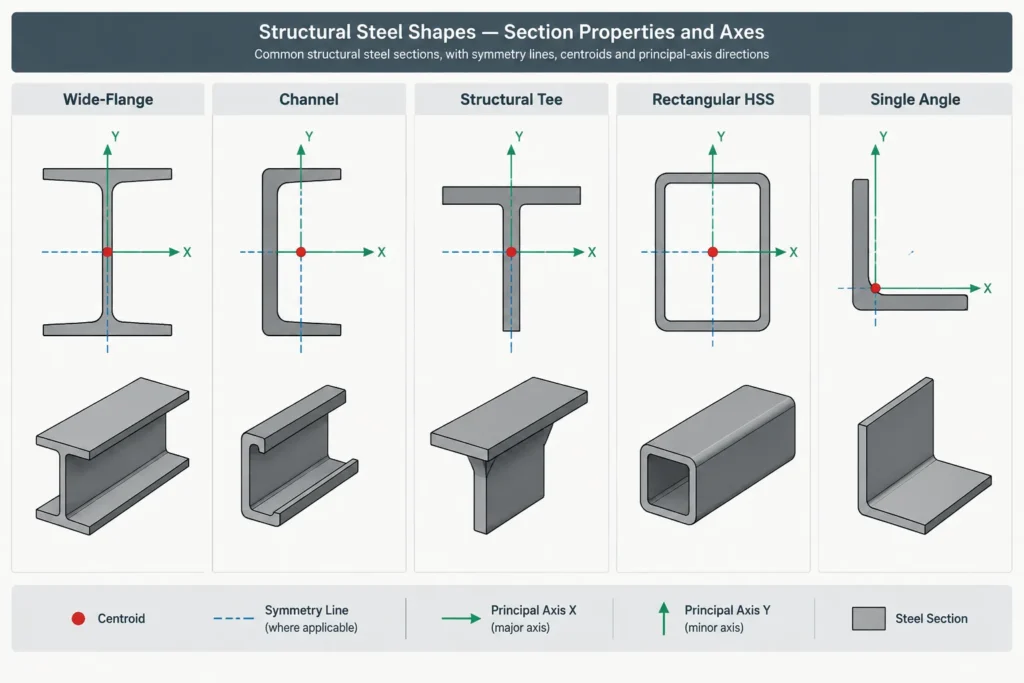
Section symmetry often reveals whether familiar centroidal axes are principal axes. If a section has an axis of symmetry, that centroidal symmetry axis and the perpendicular centroidal axis form a principal-axis pair. Consequently, the product of inertia about that pair is zero.
| Section type | Typical principal-axis relationship | Practical note |
|---|---|---|
| W-shape or other doubly symmetric I-section | Principal axes normally align with the web and flange centerlines | The strong and weak centroidal axes are readily identifiable in the standard section orientation. |
| Rectangular or square HSS | Centroidal symmetry axes through the faces are principal | A square section has equal properties about its two face-aligned centroidal axes, so other centroidal directions can require special interpretation. |
| Round HSS | Every centroidal diameter is a principal axis | The section has the same moment of inertia in every in-plane direction. |
| Channel | The centroidal symmetry axis and its perpendicular axis are principal | The centroid is offset from the back of web, and the shear center is a separate issue. |
| Structural tee | The stem centerline and perpendicular centroidal axis are principal | The centroid will not generally be at the mid-depth of the overall bounding box. |
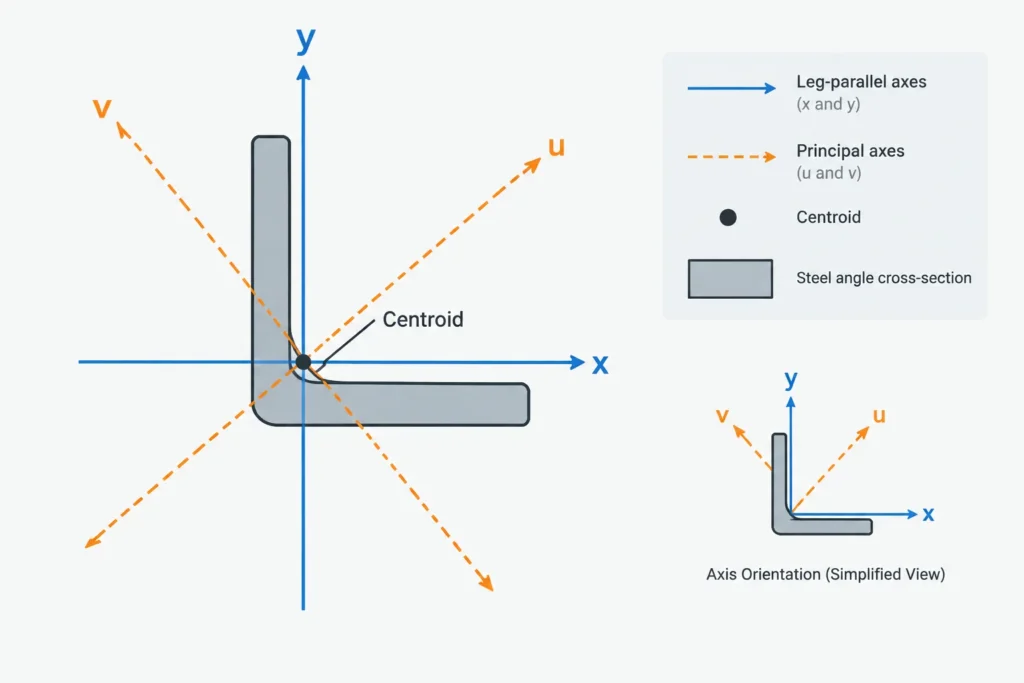
| Single angle | Principal axes are commonly rotated relative to the legs | Leg-aligned axes should not be assumed to be principal axes. |
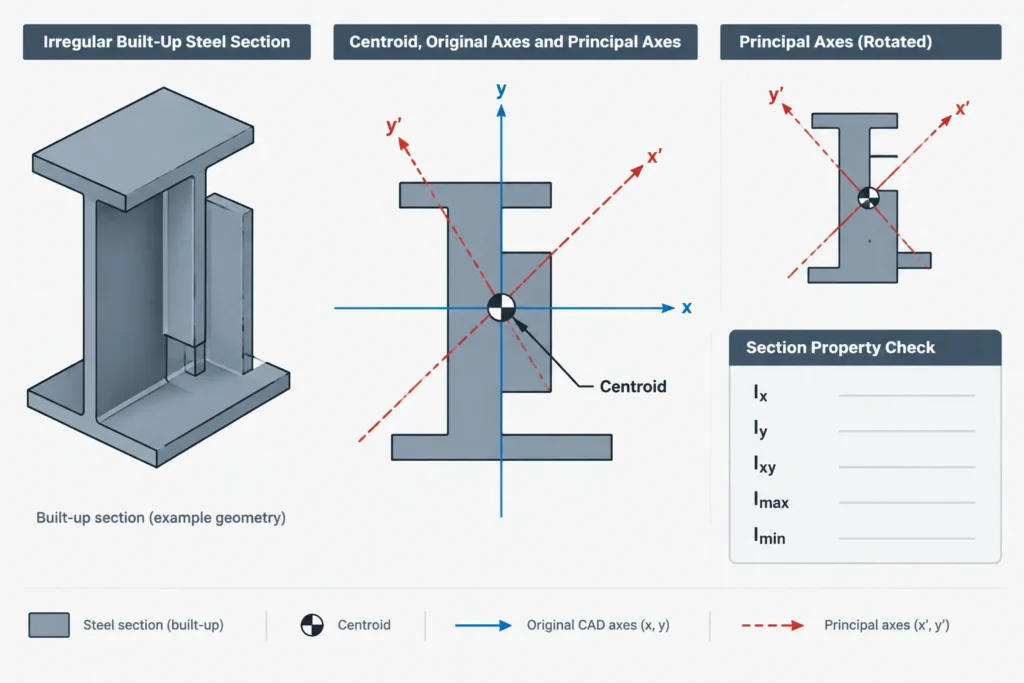
| Arbitrary built-up section | Must be established from the combined geometry | Plates, weld geometry assumptions, gaps, and component locations can affect the result. |
Symmetry is a useful visual check, but it does not replace the axis definitions in the governing shape data. A CAD profile may also use simplified fillets or corner geometry, causing its calculated properties to differ from published properties.
Why Ixy indicates rotated behavior
The product of inertia describes how the section area is distributed jointly with respect to two perpendicular axes. For centroidal axes that are not principal axes, Ixy is generally nonzero. Rotating the axes changes Ix, Iy, and Ixy even though the steel area and physical shape remain unchanged.
The principal-axis angle is found by transforming the section properties until the transformed product of inertia becomes zero. A common mathematical relationship uses twice the rotation angle and the difference between Ix and Iy. Sign conventions for Ixy and positive rotation vary, so a formula should be used together with its stated coordinate convention rather than copied in isolation.
The transformation produces two principal property values. They are the extreme centroidal moments of inertia: no other centroidal axis has an inertia greater than the maximum principal value or less than the minimum principal value.
Single angles are the common practical example
A single angle illustrates why leg-based geometry and principal properties must be kept separate. Drafters naturally locate an angle from the backs, toes, heel, or gage lines of its legs. Those references are appropriate for fabrication and connection layout, but axes parallel to the legs are not necessarily principal axes.
An equal-leg angle has geometric symmetry about its leg bisector, not about axes parallel to its legs. Its principal directions therefore follow the symmetry-based orientation through the centroid. An unequal-leg angle lacks that same simple symmetry, and its principal-axis rotation must be obtained from verified section data or a properly calculated model.
This creates several axis systems that may appear in one project:
- Leg-parallel axes used to dimension and place the angle.
- Centroidal reference axes used in a shape table.
- Rotated principal axes used for section-property interpretation.
- Member local axes assigned by analysis or modeling software.
- Global project axes used for plans and elevations.
These systems can coincide, but they should never be assumed to do so.
Principal axes and unsymmetric bending
If bending is resolved about principal axes, the normal-stress relationship can be treated without an Ixy coupling term. If bending is calculated about nonprincipal centroidal axes, the stress distribution depends on Ix, Iy, and Ixy together. Applying a simple independent-axis bending expression to an unsymmetric section about arbitrary axes can therefore produce an incorrect result.
The neutral axis under a particular moment combination is also not necessarily parallel to the applied moment vector. Its direction depends on both the loading and the section properties. This is one reason angle members and unsymmetric built-up sections require careful axis management in analysis.
Principal axes do not, by themselves, resolve torsion, shear-center effects, local buckling, connection eccentricity, or member stability. They answer a specific section-property question and must be used within the broader structural model.
A reliable CAD property workflow
1. Confirm the profile geometry
Check whether the profile represents nominal outlines, design geometry, or a simplified drafting shape. Verify closure, duplicate lines, internal voids, fillets, corner radii, and disconnected regions before requesting mass properties.
2. Establish the centroid
Do not use the center of a bounding box as a substitute for the centroid. This is especially important for channels, tees, angles, and built-up members. Move or reference the section from the calculated centroid when evaluating centroidal properties.
3. Record the active axis convention
Document which direction is positive, whether the view looks along or against the member axis, and how the software defines Ixy. A mirrored profile or reversed viewing direction may change the reported sign of the product of inertia without changing the physical section.
4. Read all related results together
Capture area, centroid coordinates, Ix, Iy, Ixy, principal moments, and principal-axis angle as one result set. Copying only the angle or only one inertia value makes later verification difficult.
5. Compare equivalent quantities
Before comparing CAD results with a steel shape table, confirm that both sources use the same geometry, units, centroidal origin, and axis directions. Compare principal values with principal values and reference-axis properties with properties about the same reference axes.
6. Preserve fabrication datums separately
Rotating a section to its principal axes may be convenient for calculation, but it can make detailing references less intuitive. Keep backs of angles, web backs, flange faces, and member work lines available as dedicated construction geometry rather than replacing them with analysis axes.
Common interpretation errors
- Calling x the strong axis in every case: Axis letters depend on the source. Verify the section sketch and property magnitudes.
- Treating member rotation as a property change: Rotating a rigid cross-section changes its relationship to project axes, not its intrinsic principal moments.
- Assuming zero Ixy about any centroidal axes: Passing through the centroid is necessary for centroidal properties, but it does not make an arbitrary axis pair principal.
- Confusing principal axes with the shear center: Principal axes concern area distribution for bending properties. The shear center concerns twist under transverse loading.
- Ignoring mirror operations: A mirrored unsymmetric profile can reverse orientation information and the sign associated with Ixy under a fixed coordinate convention.
- Using simplified CAD geometry as authoritative shape data: Small geometric differences can affect calculated properties, particularly torsional and local properties.
What should appear on drawings?
Shop and erection drawings rarely need to show principal axes unless they directly support a calculation, orientation requirement, or unusual built-up section. Fabrication drawings should prioritize unambiguous physical datums: member centerlines, work points, backs of legs, web centerlines, faces of steel, and connection locations.
For calculation sketches and model documentation, show the section orientation together with the centroidal and principal axes when ambiguity is possible. Include a clear viewing direction and identify which property source or geometry model was used. This makes it easier to distinguish a physically rotated member from a rotated property coordinate system.
Practical takeaway
Principal axes are the centroidal directions in which Ixy becomes zero and the section’s moments of inertia reach their maximum and minimum values. They align naturally with familiar centerlines for many symmetric steel shapes, but they can be rotated substantially for angles and arbitrary built-up sections.
The safest workflow is to verify the profile, locate the true centroid, document axis and sign conventions, and compare only properties based on equivalent geometry and directions. In CAD and structural models, preserve both calculation axes and fabrication datums so that accurate property interpretation does not come at the expense of clear detailing.